

This installation needs to be perfomed when Sparck is used for the the first time in Max.
- Download and install Max
- Lunch Max and create a new patch.
File > New Patcher. - Add a Sparck app inside the max patch.
Mouse right click > Paste From > sparck > 0_UTILITY > APP.maxpat
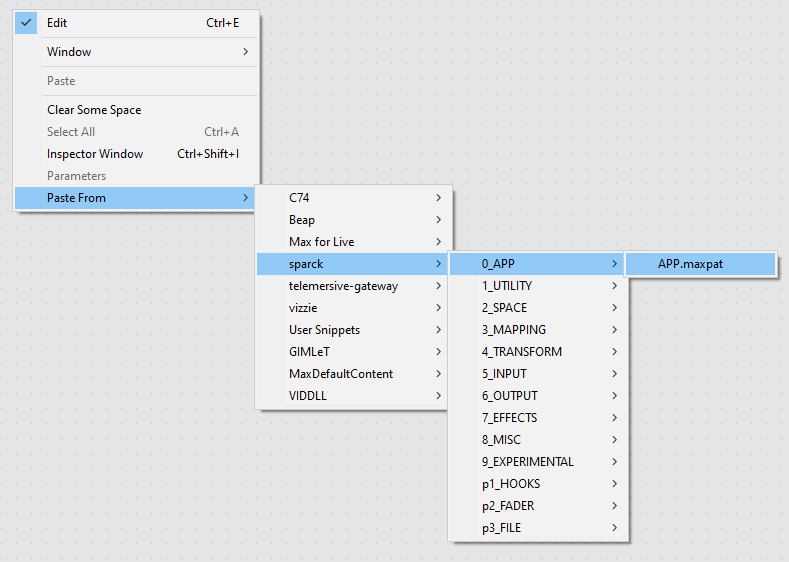
This will generate a first occurence of Sparck.
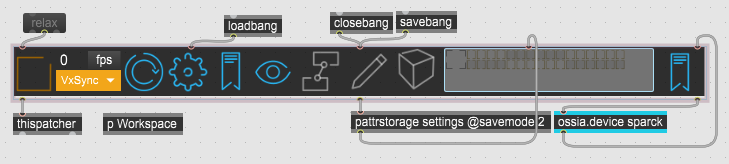
-
Save As...the patch and quit Max application.
TODO finish article!
SPARCK Performance Problems
If you encounter framerate problems with playing back Spout Video Streams with Sparck, your GraphicsCard vsync settings might be the reason. The best performance can be gained if the vsync is set to off.
Here is the path to achieve this:
- Right-click on the desktop will show you this context menu:
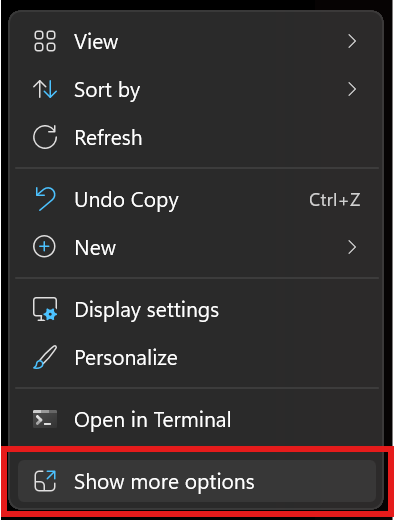
click on “Show more options”
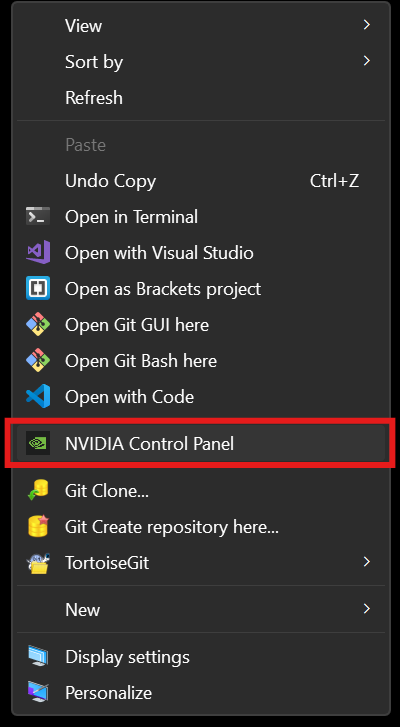
select “NVIDIA Control Panel”
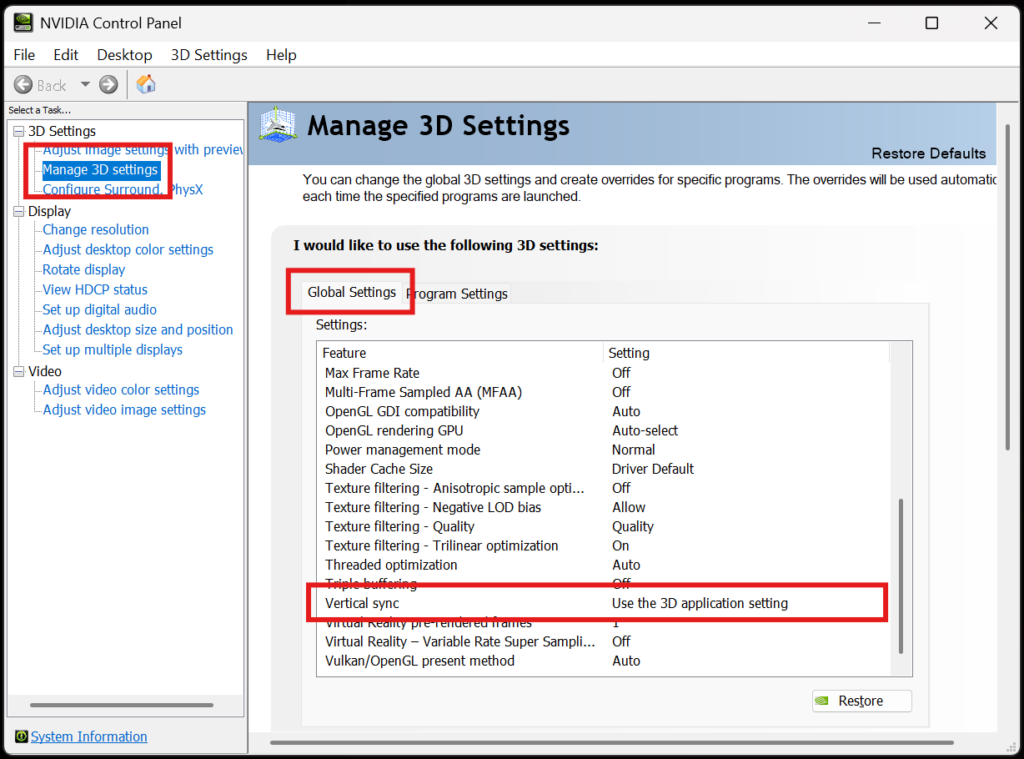
In the left Task panel, select “Manage 3D Settings” > “Global Settings” > scroll down to “Vertical sync”.
You can just turn it to OFF right here. But this will affect all the Apps, and that might not be the best.
So select the “Program Settings” instead:
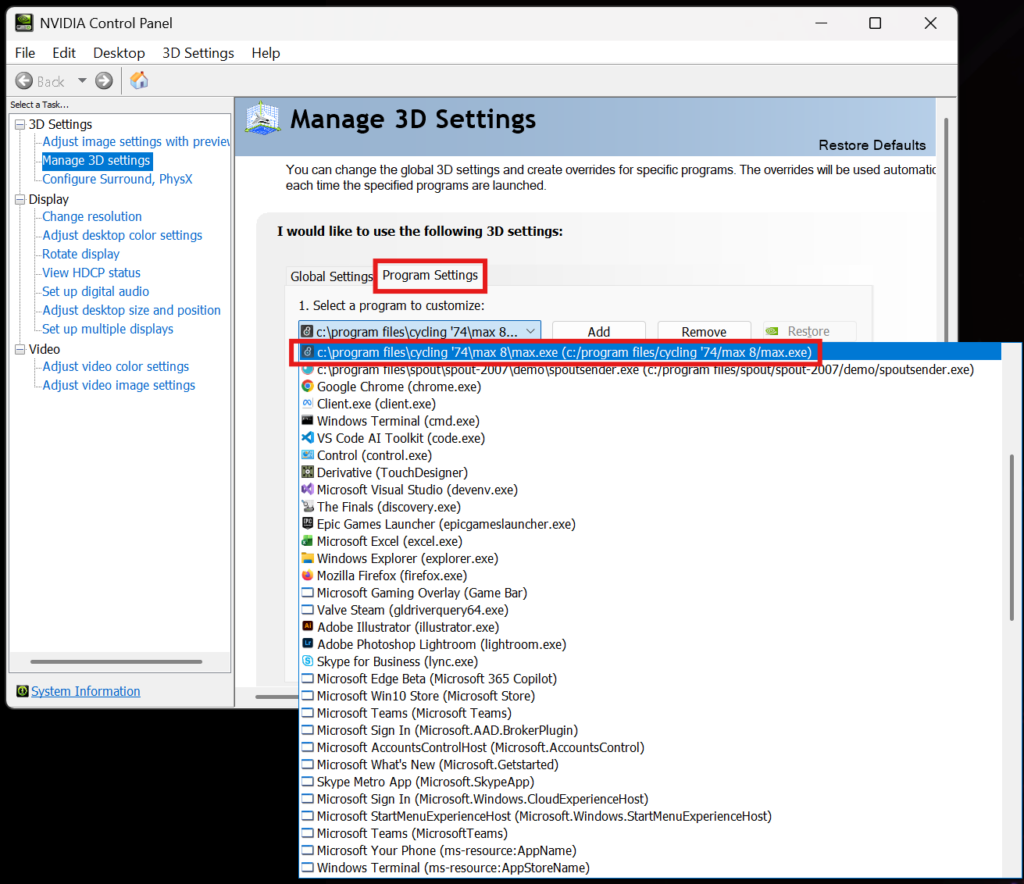
and find the Max App you intend to use for SPARCK. You might have to “ADD” it by finding it on the Harddrive (most likely under C:\Program Files\Cycling ’74\Max 9\max.exe
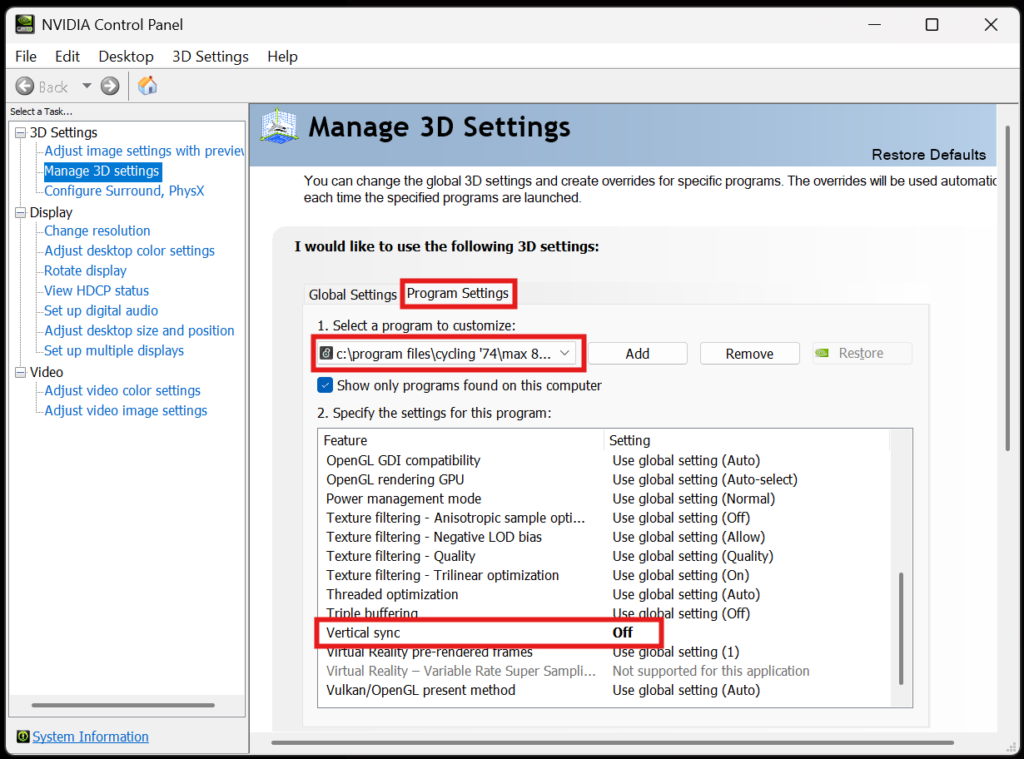
Scroll down and set “Vertical sync” to Off. Press Apply.
 stella speziali